If you’re a creator in 2026, you know the drill: a brand reaches out, asks for your "media kit," and you suddenly realize your last version is three months old. Your follower count has grown, your engagement has shifted, and that PDF you spent hours designing in Canva is now a relic of the past.
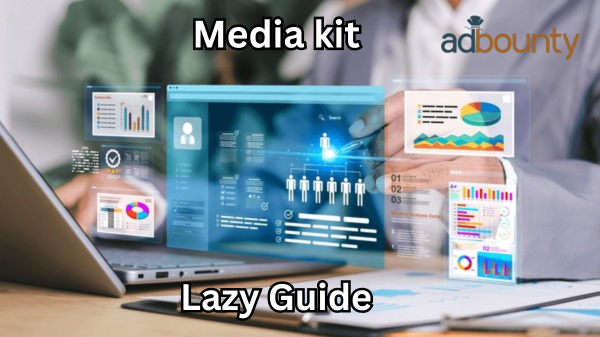
A media kit is your professional resume. It’s the document that showcases your value, your stats, and your audience to potential brand partners [1]. But the traditional way of making them is broken. This guide will show you why static media kits are failing and how you can use the "lazy" method to have a professional, always-updated kit ready in minutes.
What is a Media Kit (And Why Do You Need One)?
Think of a media kit as your digital calling card. It’s a snapshot of your influence that tells a brand exactly why they should work with you.
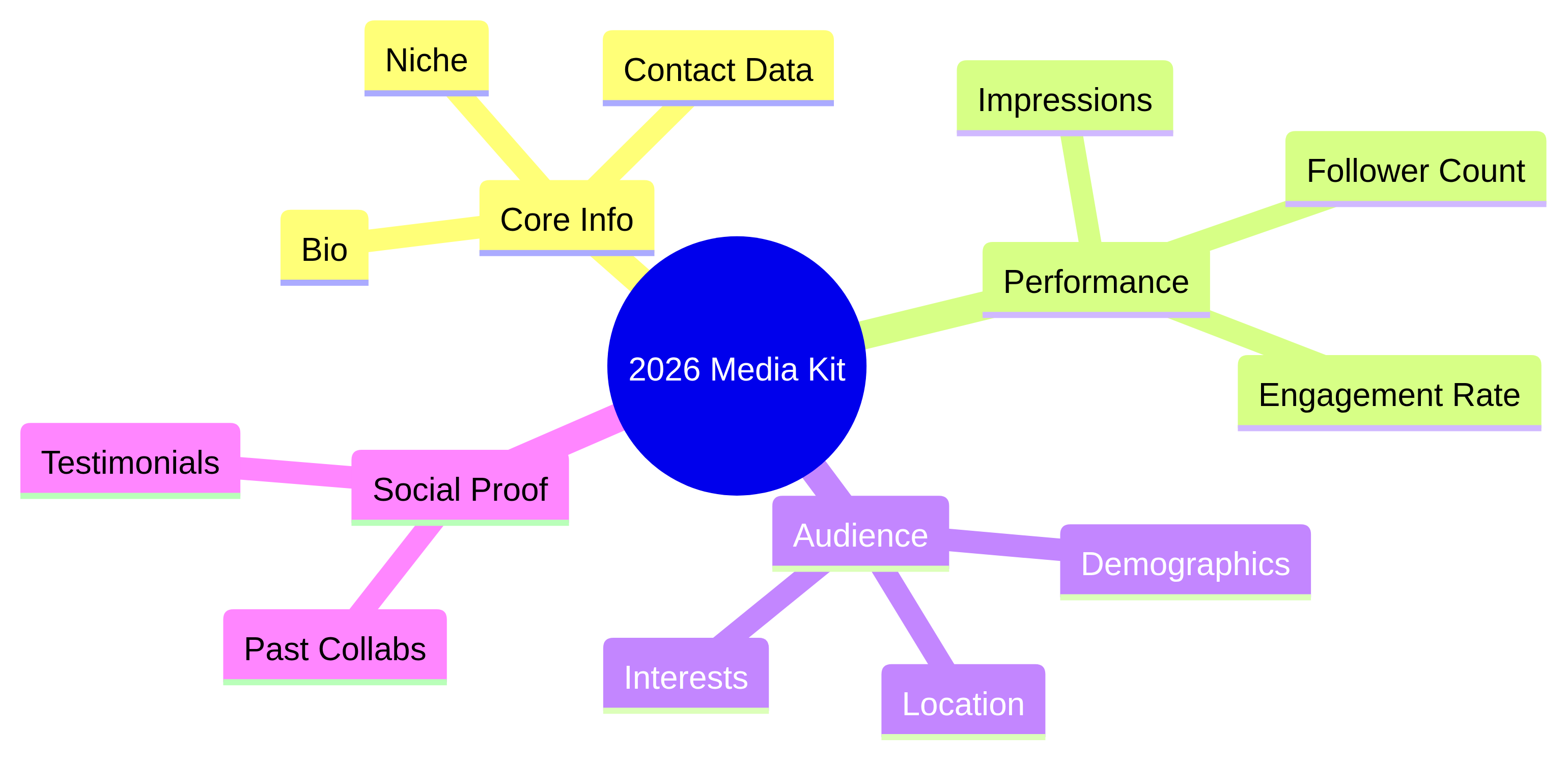
A professional media kit typically includes:
- Core Bio & Contact Info: Who you are and how to reach you.
- Performance Metrics: Your total reach, impressions, and follower counts across platforms [2].
- Audience Demographics: Who is watching? (Age, gender, location, and interests).
- Engagement Rates: Proof that your audience actually cares about what you post.
- Past Collaborations: Social proof that you know how to represent a brand.
Without a media kit, you’re just another handle in a brand manager’s inbox. With one, you’re a professional business partner.
The Problem with Conventional Media Kits
The biggest issue with traditional media kits? They are dead on arrival.
In the fast-paced world of social media, your data changes every single day. A static PDF or a fixed image kit is outdated the moment you hit "save."
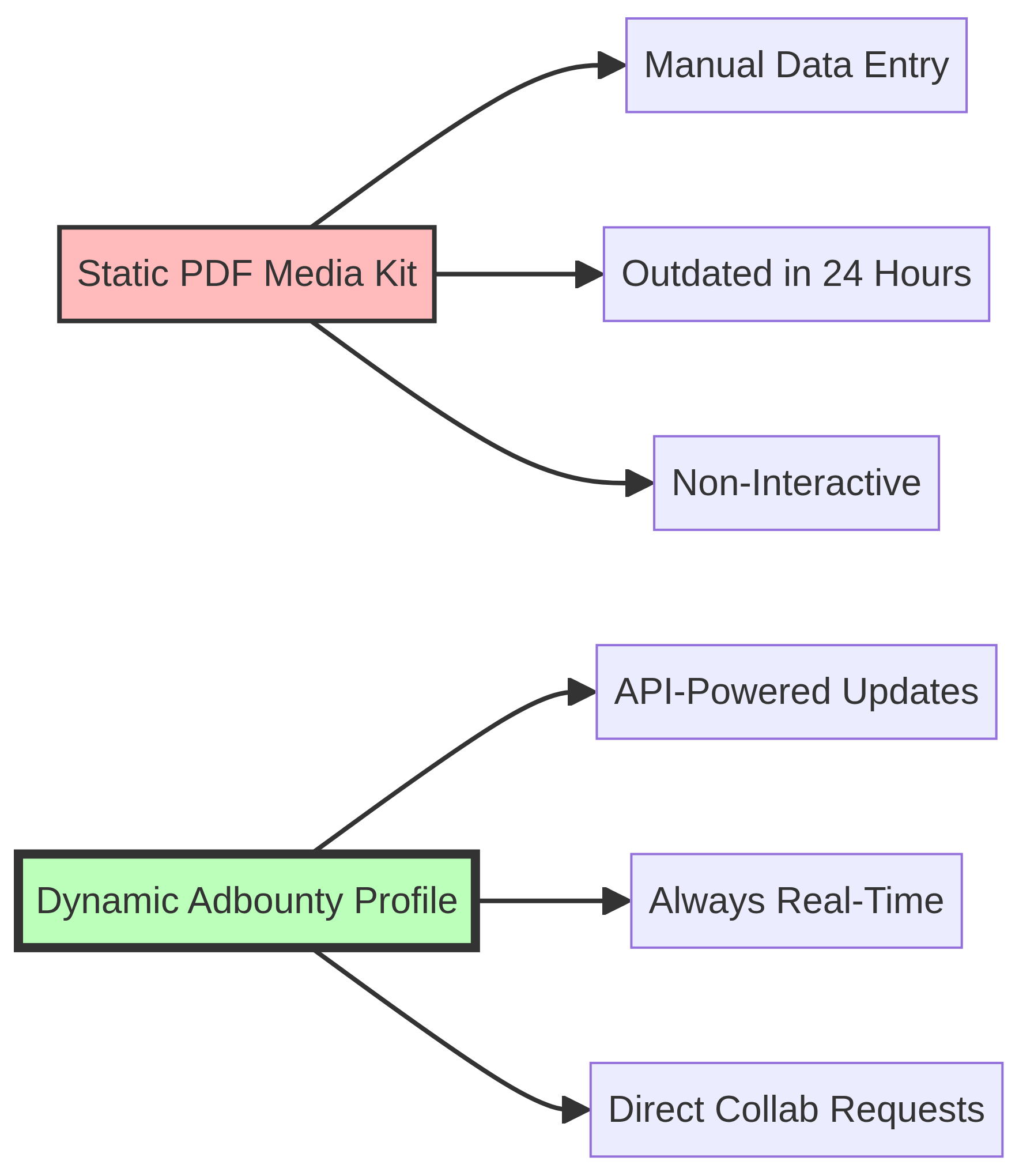
Why traditional kits are a headache:
- Manual Data Entry: You have to manually check your analytics and type them into a template.
- Constant Maintenance: Every time you gain 1,000 followers or have a viral post, you have to update the file.
- Inaccuracy: Brands in 2026 value transparency. If your media kit says you have 50k followers but your profile shows 55k (or 45k), it creates a trust gap [3].
- Non-Interactive: A PDF can’t show live video or allow a brand to request a collaboration with one click.
The "Lazy" Guide: Automating Your Media Kit with Adbounty
This is where the "lazy" method comes in. Instead of designing a kit from scratch and manually updating it, you can let technology do the heavy lifting.
On Adbounty, you can create a professional media kit for free that is always up to date via API.
Step 1: Register for Free
Head over to Adbounty and create your creator account. It takes less than a minute and costs nothing.
Step 2: Connect Your Accounts
This is the "magic" step. Connect your Instagram, TikTok, or YouTube accounts via the secure API.
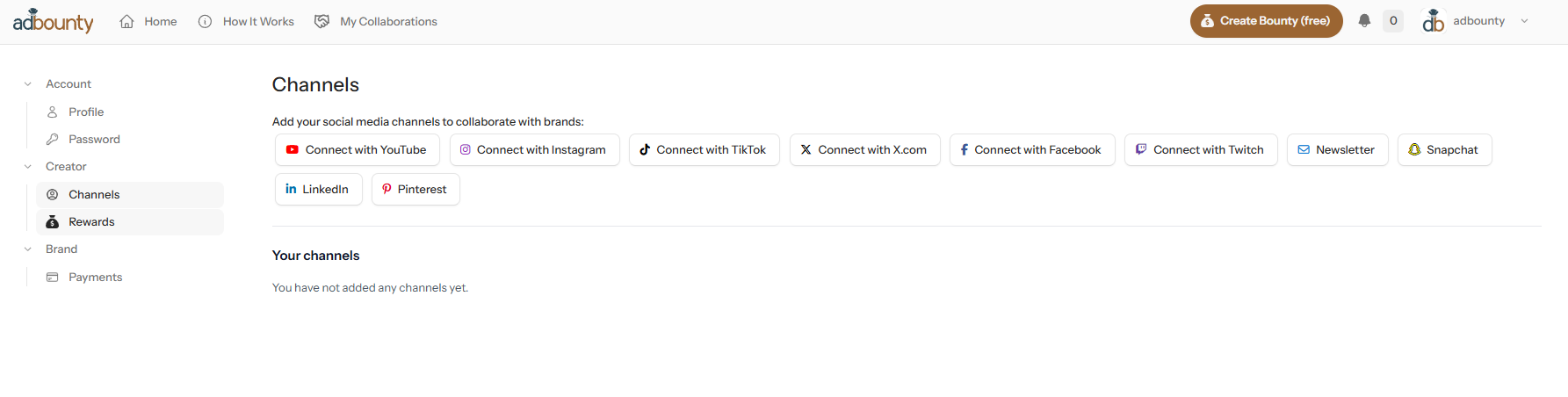
Step 3: Let the API Do the Work
Once connected, Adbounty automatically gathers all your data—impressions, follower counts, engagement rates, and audience demographics—and organizes them into a clean, professional profile.
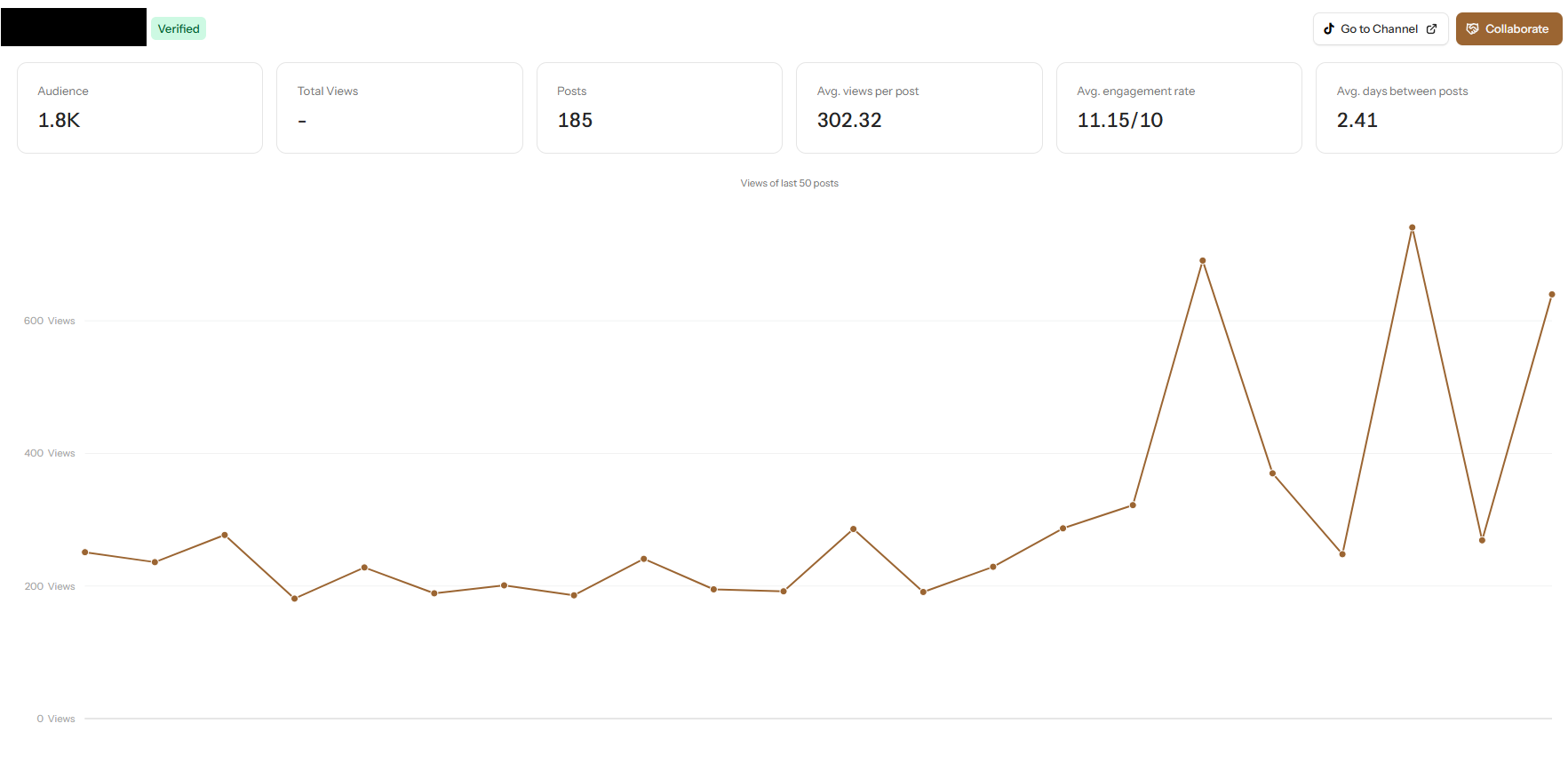
Step 4: Share Your Live Link
Instead of attaching a bulky PDF to your emails, you simply send your Adbounty profile link. Brands will see your real-time stats, verified directly from the platforms.
Why the Lazy Guide Wins
By using a dynamic profile on Adbounty, you’re not just saving time; you’re positioning yourself as a modern, tech-savvy creator.
- Always Accurate: Your stats update automatically. You never have to worry about "outdated" data again.
- Verified Trust: Brands know the data is coming directly from the API, which builds instant credibility [4].
- Direct Collaboration: On top of showing your stats, Adbounty allows brands to directly request a collaboration with you right from your profile. It turns your media kit from a static document into a lead-generation tool.
Conclusion: Work Smarter, Not Harder
In 2026, your time is better spent creating content and engaging with your community than fiddling with design templates. The "lazy" guide isn't about doing less; it's about being more efficient.
Stop sending PDFs from 2024. Switch to a dynamic, API-powered media kit on Adbounty and let your data speak for itself.
References
- InfluenceFlow: A Comprehensive Influencer Media Kit Guide for 2026
- Automateed: What to Include in a Creator Media Kit 2026
- Backstage: How to Make an Influencer Media Kit - 2026 Guide
- Infogram: 10 Trends in Data Visualization to Watch in 2026
- VidIQ: Influencer Media Kit - Free Template + Examples 2026